








How to Use the Honeywell Hold and Run Features on Your Thermostat
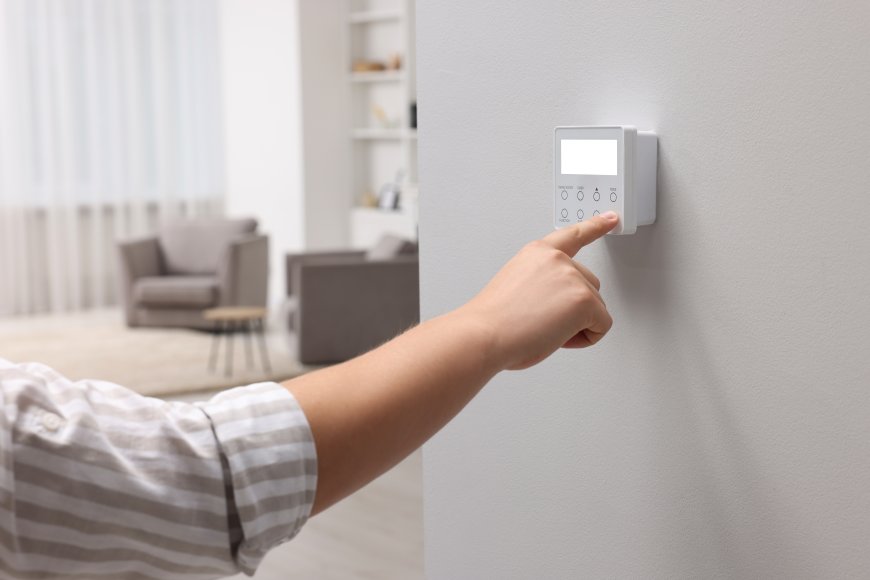
If you've ever looked at your Honeywell thermostat and wondered what the Hold and Run buttons do, you're not alone. These features can play a big role in how efficiently your HVAC system runs and how comfortable your home stays. Whether you want to temporarily override your schedule or go back to your programmed settings, understanding how to use the Honeywell Hold button and the Run schedule on your thermostat is key.
Lets break down exactly what these features mean, when to use them, and how they can help you save on energy bills.
What Does the Honeywell Hold Button Do?
The Honeywell Hold button is designed to temporarily lock in a specific temperature setting. When you press Hold, the thermostat ignores your programmed schedule and keeps the temperature steady until you manually cancel it.
When to Use the Hold Feature:
-
During vacations: Keep your home at an energy-saving temperature while you're away.
-
Unusual weather: Override your normal schedule to maintain comfort during heatwaves or cold snaps.
-
Special occasions: Hosting guests? Keep the temperature consistent for maximum comfort.
Using the Honeywell set hold run function correctly gives you control when your routine changes, without permanently altering your schedule.
What Does the Run Button Do on a Honeywell Thermostat?
The Run button is used to cancel the hold setting and return your thermostat to its normal schedule. When you hit Run, the thermostat follows the preset temperature settings youve programmed for different times of the day and days of the week.
This is ideal for everyday life when your household has a consistent routine. By pressing Run, you activate the run schedule on your thermostat, which helps manage energy use and keeps your home comfortable based on your preferred settings.
How to Use Honeywell Set Hold Run Function
If youre using a Honeywell home thermostat, the Set Hold Run feature is easy to use:
-
Set your preferred temperature manually.
-
Press the Hold button to maintain that temperature indefinitely.
-
When you're ready to go back to your regular schedule, press Run to resume the programmed settings.
This gives you full flexibilitywhether you want a temporary temperature change or to go back to your energy-efficient routine.
Can Using the Hold Button Help You Save Energy?
Yes, if used correctly, the Honeywell Hold button can lead to energy savings. For example, if youre away from home for a few days, setting your thermostat higher in summer or lower in winterand pressing Holdcan reduce energy usage and lower your utility bills.
However, be cautious. Leaving your thermostat on Hold for too long at a comfort setting while you're not home can have the opposite effect. Always remember to run the schedule on your thermostat once you're back to your routine.
What Is a Programmable Thermostat?
A programmable thermostat allows you to create customized heating and cooling schedules for different times of the day and days of the week. You can:
-
Set the temperature lower during work hours
-
Warm it up before you wake up
-
Cool it down before bedtime
With a Honeywell home thermostat set hold run setup, you can override or resume these settings anytime using the Hold or Run buttons.
How to Program and Run a Schedule on a Thermostat
-
Press "Program" or "Schedule" on your thermostat.
-
Enter desired temperatures for various time blocks (morning, daytime, evening, night).
-
Repeat for weekdays and weekends if needed.
-
Save your schedule and press Run to activate it.
If you ever make a manual change, simply hit Run to go back to your saved routine.
What Happens If You Forget to Cancel the Hold Setting?
Forgetting to turn off Hold can lead to unnecessary energy usage. Your thermostat will keep running at the set temperature even when you dont need it, especially if no one is home.
To avoid this:
-
Always press the Run button when returning to your regular schedule.
-
Or consider a smart thermostat that automatically switches back to your program based on your location or habits.
Upgrade to a Smart Thermostat for More Control
Looking to take full control of your homes comfort? Upgrade to a smart thermostat from Gleason Heating and Air Conditioning. Our smart systems allow you to:
-
Program schedules remotely
-
Use the Hold and Run features from your phone
-
Receive system alerts and maintenance reminders
We make it easy to manage your comfort and reduce energy usewhether you're at home or on the go.
Contact us today for a free estimate on a smart Honeywell thermostat!
Final Thoughts
Mastering your thermostats Hold and Run functions can improve your comfort and reduce energy waste. Use the Honeywell Hold button when you want a temporary override and press Run when you're ready to return to your programmed schedule. With the Honeywell set hold run feature, you get the flexibility you need with the efficiency your home deserves.
Need help installing or upgrading your system? Gleason Heating and Air Conditioning is here to help you make the most of your thermostatno matter the season.